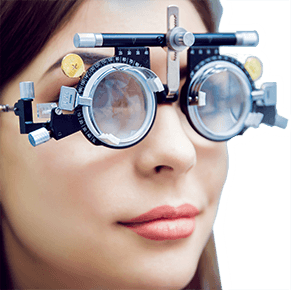
How computer glasses can ease digital eye strain
According to The Vision Council, a recent survey of more than 10,000 adults found that 65 percent of Americans experience digital eye strain symptoms — such as dry, irritated eyes, blurred vision, eye fatigue and headaches — when using a computer, smartphone and other digital devices.
And eye strain and other symptoms of computer vision syndrome don't occur only in adults. Millions of children work at a computer every day, either at home or in school. Prolonged computer use can stress a child's eyes and may affect normal vision development.
What are the symptoms of computer vision syndrome?
If you or your child spend more than two hours per day in front of a computer screen, it's likely you will experience some degree of computer vision syndrome. Symptoms of Computer Vision Syndrome include:
Headaches
Loss of focus
Burning eyes
Tired eyes
Neck and shoulder pain
What causes computer vision syndrome?
Computer eye strain and computer vision syndrome are caused by our eyes and brain reacting differently to characters on a computer screen than they do to printed characters. Our eyes have little problem focusing on printed material that has dense black characters with well-defined edges. But characters on a computer screen don't have the same degree of contrast and definition.
Words and images on a computer screen are created by combinations of tiny points of light (pixels), which are brightest at the center and diminish in intensity toward their edges. This makes it more difficult for our eyes to maintain focus on them. Instead, our eyes want to drift to a reduced level of focusing called the "resting point of accommodation" or RPA.
Our eyes involuntarily move to the RPA and then strain to regain focus on the screen. This continuous flexing of the eyes' focusing muscles creates the fatigue and eye strain that commonly occur during and after computer use.
What can I do about it?
To reduce your risk of computer eye strain and computer vision syndrome, see an optometrist or ophthalmologist who specializes in computer vision care.

Using proper computer eyewear can prevent eye strain.
During a computer vision exam, your eye doctor will perform tests to detect any vision problems that might contribute to Computer Vision Syndrome. Depending on the outcome of the exam, your doctor may prescribe computer eyeglasses to help you work more comfortably at your computer.
In addition to increasing comfort during computer use, recent studies have shown that computer eyeglasses can increase computer worker productivity, with cost savings to employers who provide the eyewear.
Will glare screens prevent Computer Vision Syndrome?
Anti-glare filters for computer screens may increase comfort somewhat, but they will not solve all your computer vision problems. These filters only reduce glare from reflections on the computer screen and do not reduce the visual problems related to the constant refocusing of your eyes when you work at a computer.
In order to reduce computer-related eye strain effectively, you may need computer eyewear to help your eyes focus on your screen more comfortably. Also, anti-reflective coating is highly recommended for computer eyeglasses. Anti-reflective (AR) coating reduces reflections on the front and back surfaces of eyeglass lenses that cause glare and interfere with your ability to focus on images on your screen.
Will computer eyeglasses make the screen clearer?
Yes, because computer glasses eliminate the constant refocusing effort that your eyes go through when viewing the screen.
Also, clinical studies have shown that having the correct prescription in computer eyeglasses increases productivity and accuracy.
Do computer eyeglasses look like safety glasses?
No. Almost any style of frame can be used for computer glasses.
What kinds of lenses are prescribed for computer glasses?
The best type of lenses for computer glasses usually depends on your age. If you are in your 40s or older, it's likely you have some degree of presbyopia. If so, multifocal lenses will usually be your best choice because they provide better depth of focus than single vision lenses. This will let you see your computer screen clearly and also see objects that are closer and farther away than your screen.
Single vision lenses also are a good solution for computer glasses, though your depth of focus will be more limited with these lenses if you are presbyopic. Your eye doctor will help you decide whether multifocal or single vision lenses are the best solution for your work environment and your visual needs.
What about tints for computer lenses?
If you work in a brightly lit office, it might be a good idea to have a mild tint added to the lenses of your computer glasses.
Lightly tinted lenses will reduce the amount of light entering your eyes to more comfortable levels and may help reduce eye strain.
But be aware that tints alone don't address the underlying cause of computer eye strain, which is focusing fatigue.
Does every computer user need computer glasses?
With studies suggesting that most computer users experience some level of eye discomfort from computer work, it's reasonable to say that most people who work on a computer more than a couple hours daily could benefit from computer eyewear.
If you experience tired eyes, overall fatigue or discomfort when working at your computer, schedule a computer vision exam. Your eye doctor can help you decide if computer eyeglasses are right for you.
If I don't have symptoms of Computer Vision Syndrome, do I still need computer eyewear?
Maybe. According to a study at the University of Alabama at Birmingham School of Optometry, even computer users who are not experiencing computer vision syndrome symptoms might benefit from computer glasses.
The study found that computer workers with no visual complaints often experience reduced productivity and accuracy at the computer. So even if you don't notice eye strain or other symptoms of Computer Vision Syndrome, it's a good idea to get an eye exam from a computer vision specialist if you spend a good amount of time each day in front of a computer.
Will insurance pay for computer glasses?
In some cases, some or all of the cost of computer glasses is covered by vision insurance.
If you have medical coverage, but not vision insurance, the cost of your computer vision exam may be covered by your medical carrier.
Some vision insurance policies entitle you to an annual eye exam, which could be used to cover the computer vision exam and a portion of the cost of your computer eyewear. Also, be sure to check your employee benefits at work. Some companies provide eye exams and eyewear for their employees who work at computers.
Will my reading glasses work at the computer?
Reading glasses usually are not the best solution for computer use.
Eyeglasses prescribed for reading typically will optimize your vision at a distance of 14 to 16 inches from your eyes, which is considered the standard reading distance. But for the greatest comfort, your computer screen should be positioned farther away — at a distance of 20 to 24 inches from your eyes. For the best vision at this distance, a different eyeglass prescription is usually required.
Does computer vision syndrome affect worker productivity?
Yes, research has shown that this is true. Even in cases when a computer worker's vision correction is only slightly off, productivity and accuracy at the computer can still suffer.
And as the day progresses, these losses increase. Using your eyes to view a computer for many hours a day is analogous to your eye muscles being forced to do push-ups for hours and hours. Over time, muscle fatigue will significantly affect productivity, accuracy and comfort. Computer glasses can reduce eye fatigue and improve productivity.
Isn't ergonomics the solution to computer eye strain?
Ergonomics is important — changing your computer workstation to facilitate good posture can certainly help minimize some physical symptoms of Computer Vision Syndrome. But ergonomics alone cannot solve a visual problem. Wearing prescription computer eyeglasses typically is more helpful than ergonomics for reducing the risk of computer eye strain.
Will wearing computer eyeglasses make my eyes worse?
No. In fact, wearing specially prescribed computer glasses when working at your computer might help keep your eyes from getting worse by reducing excessive focusing demands on your eyes. This is particularly true for teenagers, whose eyes may be more susceptible to progressive nearsightedness from focusing fatigue.
EXPERIENCING COMPUTER VISION SYNDROME? Find an eye doctor nearby to learn how computer glasses can help you.
Page published on Wednesday, April 3, 2019